













Plane spotters: collect aircraft from your radar
Vulcan Radar is a desk instrument and a spotting logbook. Pair your radar with your Vulcan Radar website account, or create an account for free. Tap COLLECT on any aircraft you see, and keep a collection of registrations, types, and airlines you can open on the web.
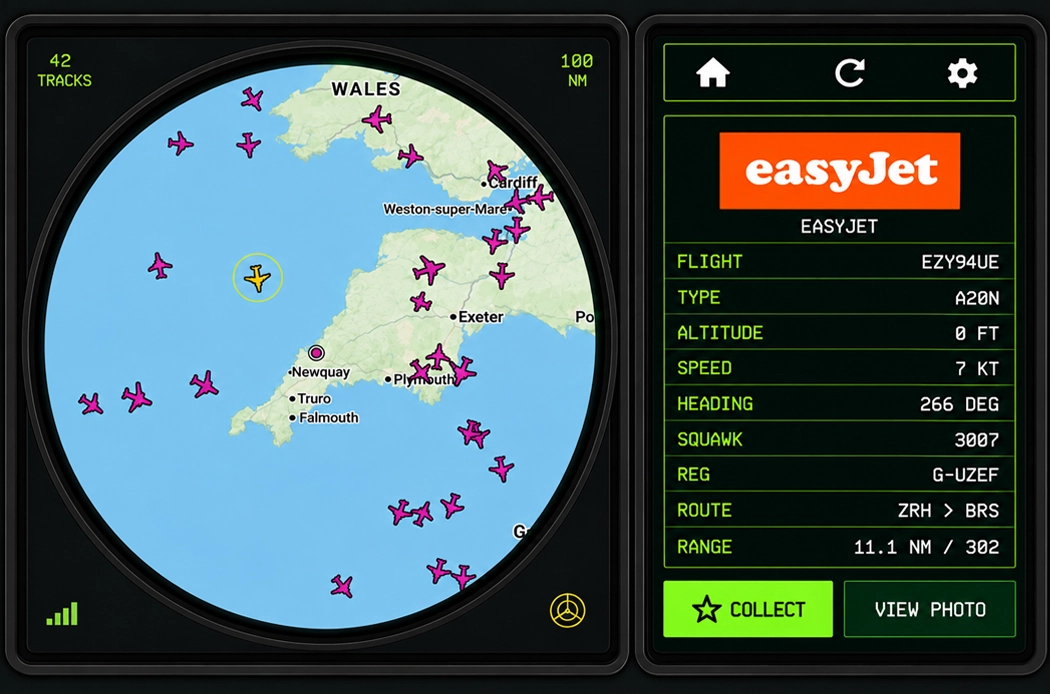
How to pair your Vulcan Radar
The pairing code is shown on the radar — not on this website.
-
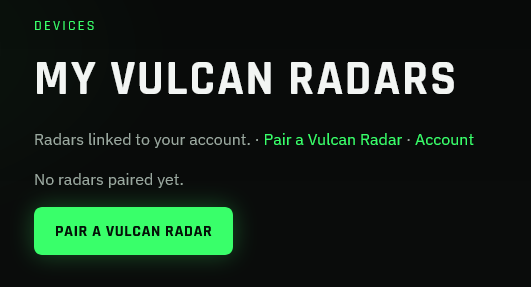
Open Pair a Vulcan Radar
Pair your radar with your Vulcan Radar website account, or create an account for free. Open Account, then Pair a Vulcan Radar.
-
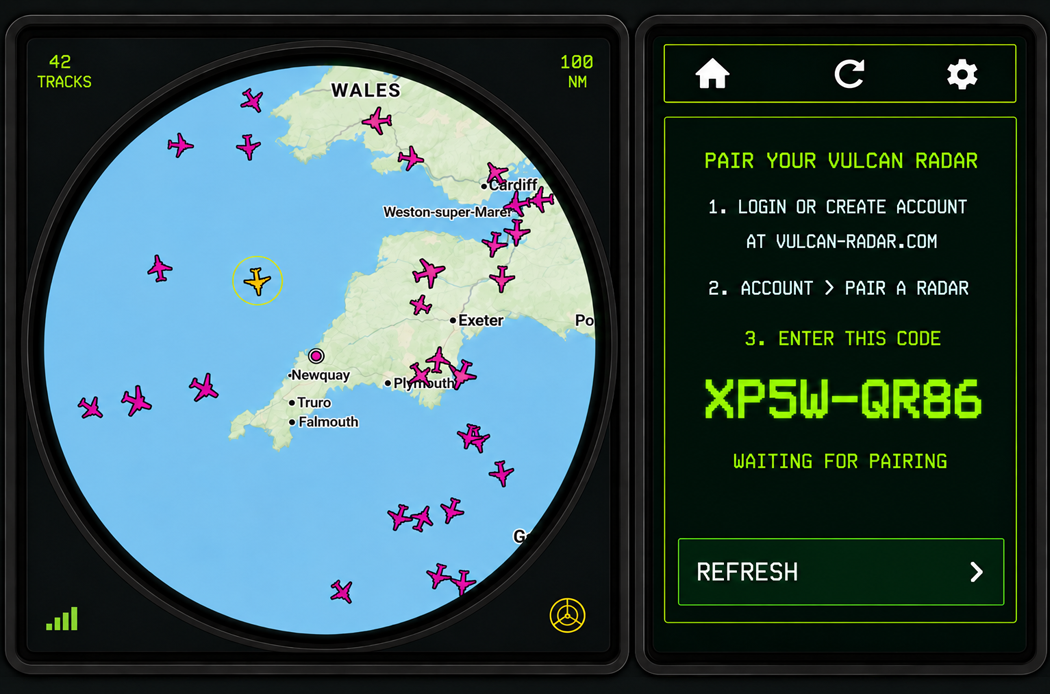
Show the code on the radar
On the device, open Settings → Pair Account. A short code appears on the radar screen (for example R7K4-P2M9).
-
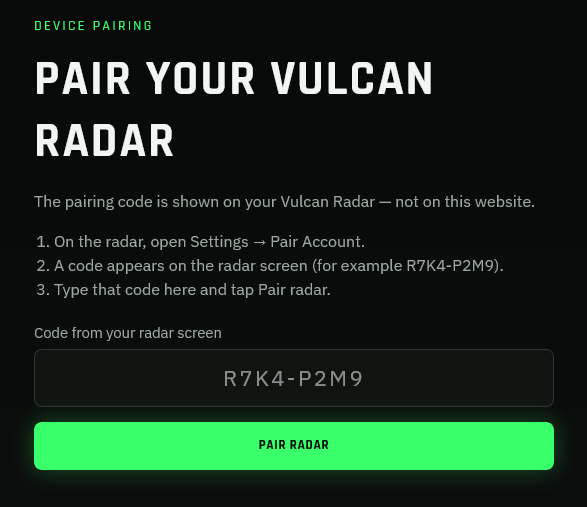
Enter the code on the website
Type the code from the radar into the pairing page and tap Pair radar. The unit is then linked to your account.
How to collect aircraft
Once the radar is paired, any aircraft you tap can be added to your collection from the device. You do not need a phone app.
-
Select an aircraft
On the radar, tap a track to open the side panel with callsign, type, registration, and route.
-
Tap COLLECT
On the side panel, tap COLLECT. The first time you add an aircraft it is stored in your collection; if you collect it again, the extra sighting is recorded against the same aircraft.
-
Browse your collection
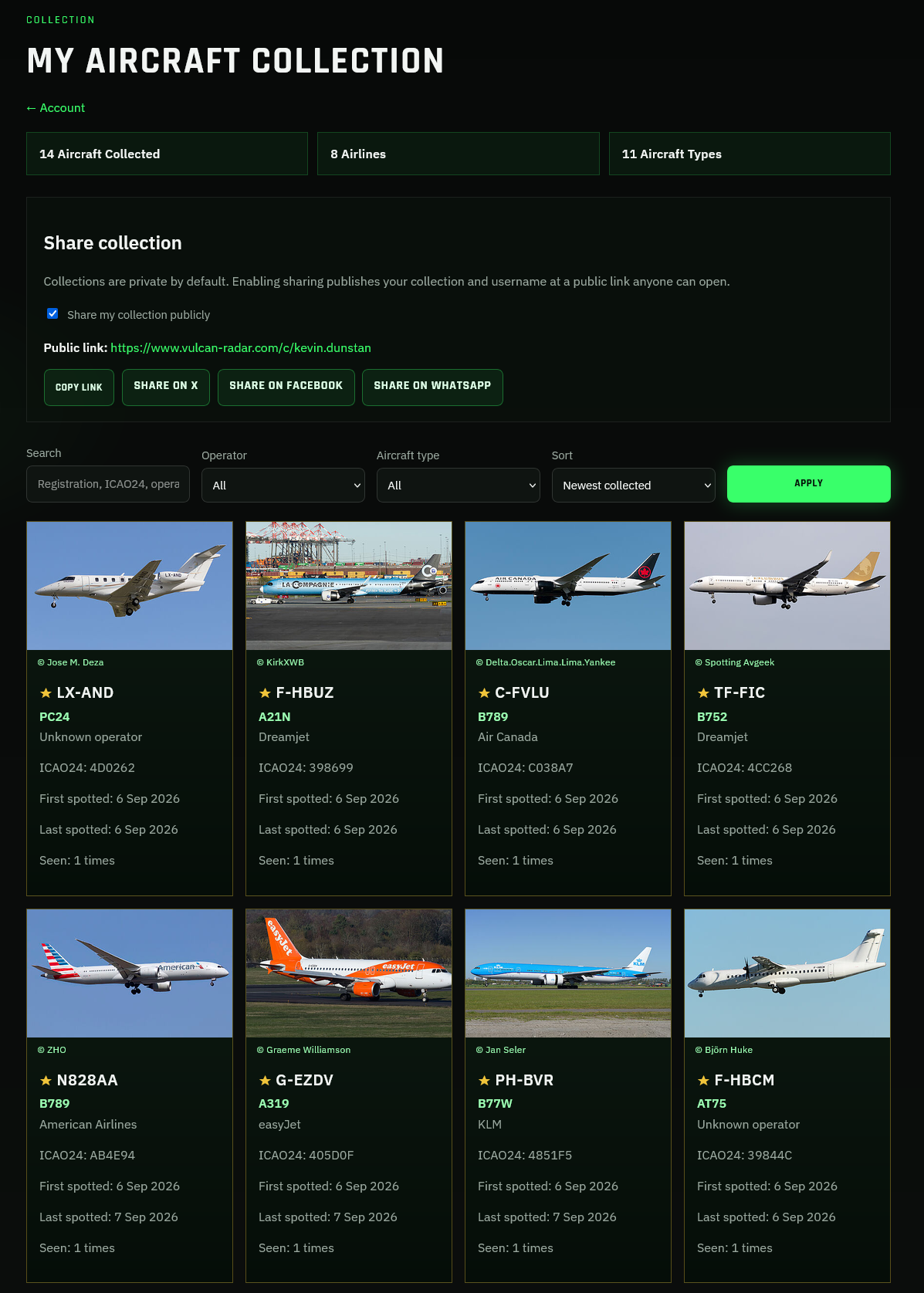
Open My Aircraft Collection on vulcan-radar.com to see registrations, types, airlines, and when you first spotted each aircraft. Keep the collection private, or share a public link.
If the radar is not paired, the side panel shows PAIR instead of COLLECT — finish pairing first, then tap the aircraft again.